Networking Concepts (Basic → Intermediate) 1 Day Study Guide
Networking Concepts: From Zero to Exam‑Ready
A clear, no‑fluff guide to core networking concepts, ending with a focused 1‑day study plan.
What Is a Network?
A computer network is a group of devices that communicate to share data and resources. Communication follows rules called protocols.

Real world idea: sending a letter works because both sides agree on address format. Networks work the same way.
Types of Networks
- LAN – small area like home, school, office
- WAN – large area, the internet is the biggest one
- MAN – city‑scale network
- PAN – personal devices like phone ↔ earbuds

The OSI Model (Very Important)
The OSI model explains how data moves from one device to another. Think of it as a delivery pipeline.

- Physical – cables, signals
- Data Link – MAC addresses, switches
- Network – IP addresses, routing
- Transport – TCP, UDP
- Session – session control
- Presentation – encryption, format
- Application – HTTP, FTP, DNS
Exam trick: if it involves IP think Layer 3. If it involves ports think Layer 4.
TCP/IP Model
A simplified real‑world version of OSI. Used by the internet.

- Network Access
- Internet
- Transport
- Application
IP Addresses
An IP address identifies a device on a network. It is like a house address.

- IPv4 – 32‑bit, example: 192.168.1.1
- IPv6 – 128‑bit, created due to IPv4 exhaustion
Private IP ranges are not routable on the internet.
Subnetting (Intermediate Core)
Subnetting divides a network into smaller networks. It improves performance and security.
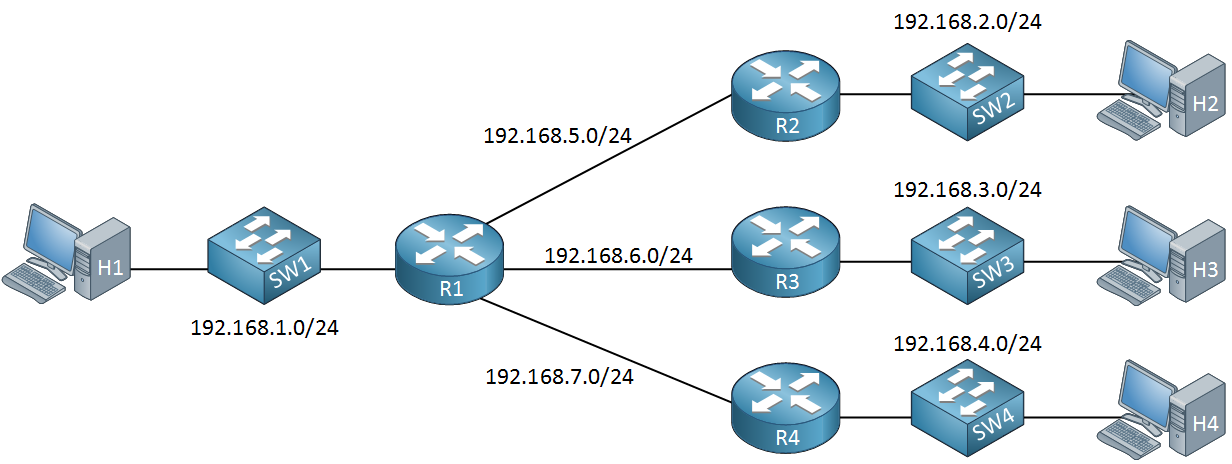
- Subnet mask defines network vs host bits
- CIDR notation like /24
- Smaller subnets mean fewer hosts
If subnetting scares you, good. That means it’s important.
Networking Devices
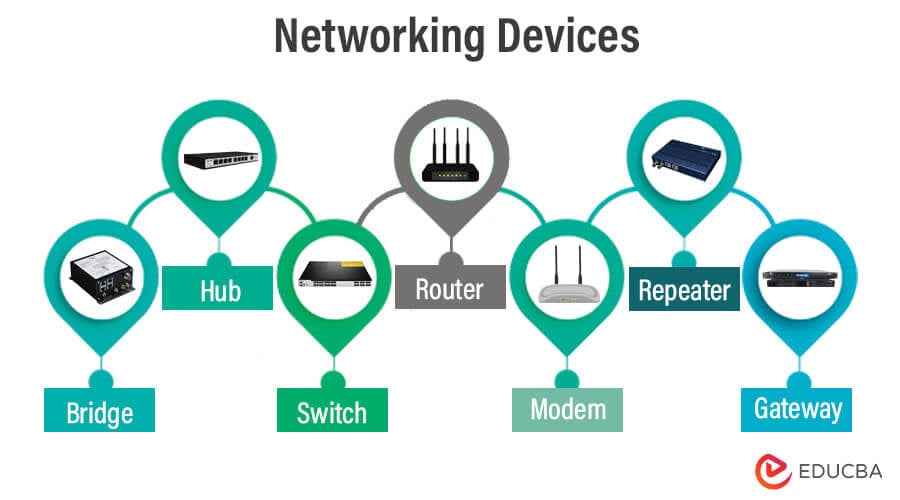
- Hub – broadcasts everything (ancient)
- Switch – uses MAC addresses
- Router – routes using IP
- Firewall – filters traffic
Common Protocols You Must Know
- HTTP / HTTPS – web traffic
- FTP – file transfer
- SMTP – sending email
- DNS – name to IP resolution
- DHCP – automatic IP assignment
1‑Day Networking Exam Study Guide
Morning (Foundation)
- What is a network
- LAN vs WAN vs MAN
- OSI model layers and purpose
Midday (Core Skills)
- TCP vs UDP differences
- IP addressing basics
- Private vs public IP
- Subnet mask meaning
Afternoon (Intermediate)
- Subnetting practice
- Router vs switch questions
- DNS and DHCP workflows
Evening (Exam Polish)
- Common ports review
- OSI layer troubleshooting questions
- Quick mock test
Don’t try to learn everything in one day. Focus on understanding how data flows.
Comments
Post a Comment